Discover how a food court management system streamlines canteen billing with RFID prepaid cards, offline POS software, vendor sales reports, inventory control and cashless payments.
Managing a busy food court or institutional canteen involves much more than preparing food and collecting payments. Operators must coordinate multiple food counters, process hundreds of transactions during peak hours, manage customer balances, track sales, control inventory and reconcile payments with individual vendors.
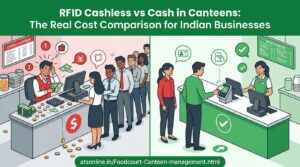
Traditional cash billing and paper coupons can make these tasks more complicated. Long queues, manual accounting, cash-handling discrepancies and difficulties tracking individual vendor sales can affect both customer satisfaction and profitability.
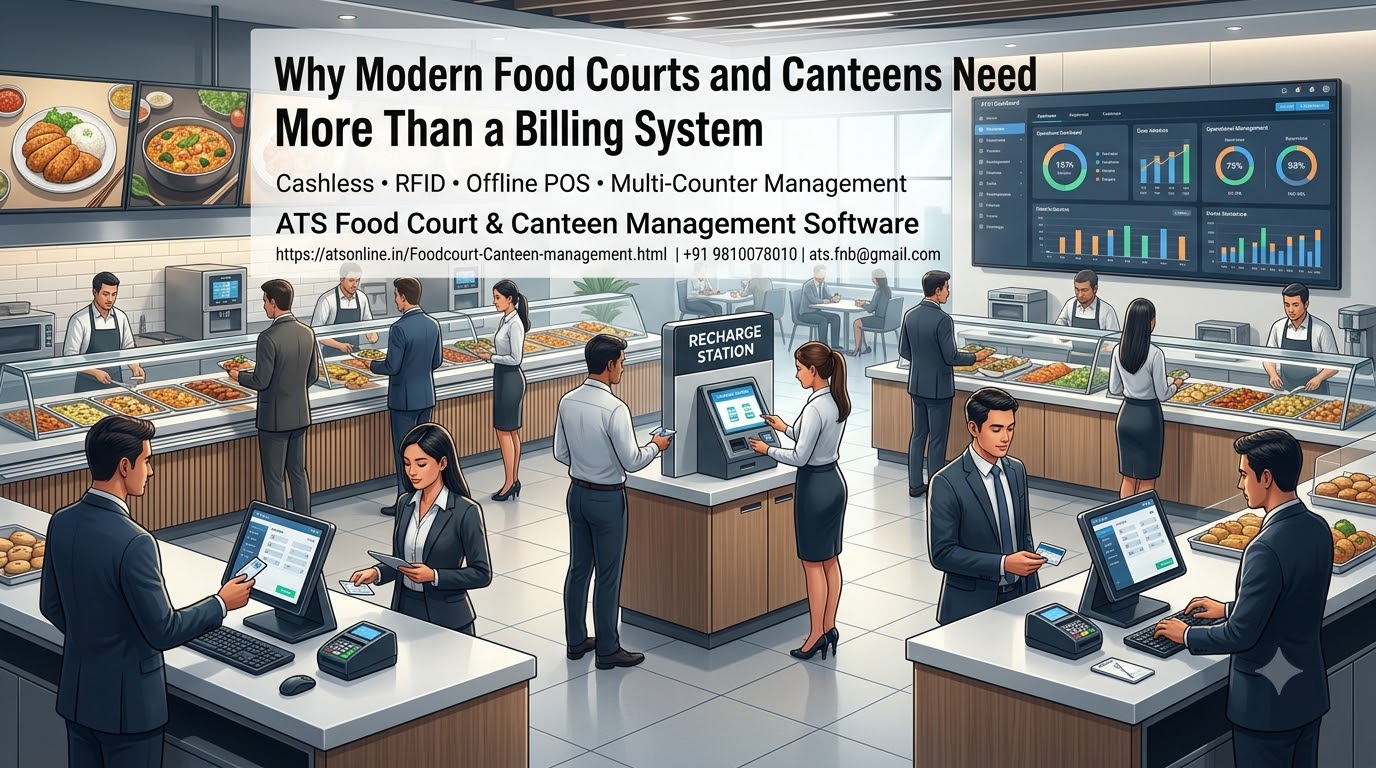
A modern Food Court Management System helps bring these operations together through computerized POS billing, cashless prepaid cards, transaction reporting and inventory management.
For businesses that need reliable billing even when internet connectivity is unavailable, an offline-capable POS system combined with RFID prepaid cards can offer a practical alternative to internet-dependent payment systems.
In this comprehensive guide, we explain how food court management software works, why RFID cashless billing is useful, which features matter most and how to select a solution for a food court, corporate cafeteria, college canteen, hospital or other multi-counter food service operation.
What Is a Food Court Management System?
A Food Court Management System is software designed to manage billing and operational activities across one or more food counters.
Unlike a basic billing application intended for a single restaurant, a food court management solution must accommodate multiple vendors or counters, different menus, separate sales records and a consistent payment process.
Depending on the software, the system may include:
- POS billing for individual food counters.
- RFID prepaid card payments.
- Centralized card issuance and recharge management.
- Separate vendor-wise sales reporting.
- Cashier and terminal management.
- Inventory and raw material tracking.
- Refund, void and reprint controls.
- Kitchen order management and token displays.
- Customer balance and transaction-history access.
- End-of-day sales reconciliation.
The objective is to help the food court operator maintain a consistent billing process while allowing each vendor to manage its own products and transactions.
A suitable system can be used in shopping mall food courts, corporate cafeterias, industrial canteens, college dining facilities, hospitals, institutional kitchens and other environments where many customers purchase food through shared or separate counters.
Why Do Food Courts Need Dedicated Management Software?
A food court often operates as a collection of individual food businesses within a common venue. Each vendor may have its own menu, pricing, staff and sales targets, while the venue operator needs an overall view of performance.
This creates several operational challenges.
1. Long queues during peak hours
Lunch breaks, office rush hours and weekend shopping periods can generate a large number of transactions within a short time.
When every customer pays with cash, staff must calculate totals, collect money and provide change. This adds steps to the transaction and can slow service.
A streamlined POS system combined with RFID prepaid payments can reduce payment-related delays and help counters serve customers more efficiently.
2. Difficulty tracking individual vendor sales
In a multi-vendor food court, the management team needs to know how much business each counter generates.
If vendors use disconnected billing systems or manual registers, consolidating the information can require additional work.
A centralized management solution can provide separate sales records for participating counters and make reconciliation more systematic.
3. Cash-handling discrepancies
Cash collections at multiple counters create opportunities for counting mistakes, missing entries and unexplained differences between reported sales and money collected.
Digital transaction records improve traceability. A cashless prepaid card model can further reduce the need for vendors to handle cash at the point of sale.
4. Paper coupon administration
Some canteens use printed coupons for meals, snacks or prepaid purchases. These require printing, distribution, collection, counting and reconciliation.
An RFID prepaid card system can replace many of these manual steps by recording purchases electronically against a card balance.
5. Limited inventory visibility
Food court operators need to monitor ingredients, stock consumption, wastage and purchasing requirements.
Without suitable records, management may struggle to understand which products are profitable or why actual stock levels differ from expected quantities.
Inventory-enabled POS software can help connect recorded sales with stock management, subject to the product’s configuration and the accuracy of recipe or consumption data.
What Is an RFID Cashless Food Court System?
RFID stands for Radio Frequency Identification. It enables a compatible card and reader to exchange identification information without requiring the card to be inserted into a slot.
In a prepaid food court system, a customer loads money onto an RFID card and uses it to purchase food at participating counters.
The software records the transaction and deducts the purchase amount from the associated balance.
A typical workflow involves five steps.
Step 1: Issue a prepaid card
The customer obtains a prepaid card at the central cash or recharge counter. Depending on the venue, cards may be issued temporarily to visitors or assigned to regular users such as employees or students.
Step 2: Recharge the balance
The customer adds money using an available recharge method. Depending on the setup, this may involve cash, a supported card payment, UPI or another configured facility.
Step 3: Place an order
The customer selects food items at a vendor counter. The cashier enters the items into the POS system, which calculates the total amount.
Step 4: Pay using the RFID card
The customer presents the card to the compatible reader. The system processes the purchase according to the configured balance and transaction rules.
Step 5: Record the transaction
The system records the sale and updates the available balance. Management can use the transaction data for sales reporting and reconciliation.
For multi-counter deployments, confirm that the chosen architecture supports consistent balances and transaction handling across all participating terminals.
Key Benefits of RFID Prepaid Card Billing
Faster transactions at food counters
A customer with sufficient prepaid balance can pay by presenting the card rather than completing a separate cash-handling process at each counter.
This can help reduce queues, particularly during concentrated meal periods.
Reduced cash handling
With prepaid card billing, customers recharge at designated points and use their balance for purchases. This reduces the amount of cash individual food counters need to collect.
Centralizing recharges can also make cash reconciliation more manageable.
Elimination of routine paper coupon handling
A prepaid card can replace many paper coupons used for everyday food purchases.
The software records transactions electronically, reducing the need to distribute, collect and manually count coupons.
Better transaction traceability
Digital records can help management review transactions, identify unusual adjustments and reconcile vendor sales.
Where the system records operator and terminal information, these details can also assist in investigating discrepancies.
Support for multiple counters
A suitably configured system allows a customer to use the same prepaid card at participating counters.
This creates a more consistent payment experience and makes it easier for management to consolidate sales information.
Convenient card recharging and refunds
Customers can add funds as needed and follow the venue’s refund policy for unused balances.
The software should support clearly defined rules for lost cards, card deposits, refund authorisation and account adjustments.
Offline POS Software: Why Connectivity Matters
One of the most important decisions when choosing food court billing software is how it behaves when internet connectivity fails.
A busy food court may have several counters processing transactions simultaneously. If billing depends entirely on an external online service, a connectivity interruption can affect service across the venue.
An offline-capable POS system can process supported transactions locally without requiring a continuous internet connection.
How offline billing helps
Billing continuity: Counters can continue processing supported transactions when the internet is unavailable.
Reduced dependence on external connectivity: Core billing does not necessarily stop because an internet connection has failed.
Faster local processing: Transactions can be processed within the local POS environment, depending on the system design.
More predictable peak-hour operations: The venue can reduce the risk of internet-related interruptions during lunch rushes and other busy periods.
Local data control: The deployment can be configured to maintain transaction records within the venue’s local infrastructure.
However, offline operation is not the same as immunity from every technical failure. Power interruptions, hardware problems, local network failures and database issues still require suitable safeguards.
Before selecting a product, ask the vendor to demonstrate offline billing, card balance consistency, multi-terminal operation, backup procedures and transaction recovery.
Offline POS vs Cloud-Based Food Court Software
Both approaches can be useful, but they serve different operational priorities.
| Feature | Internet-dependent POS | Offline-capable POS |
|---|---|---|
| Core billing during internet failure | May be interrupted | Supported transactions can continue locally |
| Remote access to reports | Usually available through online services | Depends on additional configuration |
| Continuous internet required | Often yes | Not necessarily |
| Local transaction processing | Depends on architecture | A core capability |
| Online customer services | Generally supported | Require connectivity where applicable |
| Important consideration | Network reliability and service availability | Local backups, terminal coordination and recovery |
Some cloud-based POS systems offer offline modes, while some offline-capable systems provide optional online reporting or recharge services.
The right comparison is therefore not simply cloud versus offline. It is whether the specific system can continue performing the operations your food court needs when connectivity is unavailable.
Managing Multiple Vendors with a Food Court POS System
Vendor management is a central requirement for shopping mall food courts, corporate cafeterias and multi-stall dining facilities.
The system should make it possible to record transactions separately while providing management with an overall view of the venue.
Separate menus and prices
Each vendor may sell different products at different prices. The POS system should allow the appropriate menu and pricing configuration for each counter.
Vendor-wise sales reports
Management should be able to review recorded sales for each participating counter and compare results across a defined period.
Centralized prepaid card acceptance
Where configured, customers can use the same card at different counters without obtaining a separate prepaid balance for each vendor.
Vendor settlement calculations
If the food court operator deducts a commission or charges vendors according to sales, transaction reports can help calculate the amount payable.
Confirm whether the software calculates settlement shares automatically or provides reports for an external accounting process.
Staff and terminal controls
Different users may have different responsibilities. Where supported, assign appropriate permissions for refunds, voids, reprints, card adjustments and other sensitive functions.
These controls help establish a more consistent operating procedure across vendors.
How to Control Food Costs and Inventory
Billing software becomes more valuable when it helps management understand not only what was sold but also how stock is being consumed.
A food court inventory module may support the following functions.
Stock tracking
Maintain records of incoming purchases, stock balances and adjustments.
Raw material management
Track ingredients used in food preparation, where the software supports raw material records and consumption calculations.
Recipe-based consumption
For supported systems, link menu items to recipes or ingredient quantities. Recorded sales can then help estimate expected stock consumption.
Wastage monitoring
Record spoilage, damaged stock, preparation losses and other adjustments to understand why actual stock differs from expected usage.
Purchase planning
Use historical sales and stock records to estimate future purchasing requirements and reduce avoidable shortages or excess stock.
Important: Inventory accuracy depends on the quality of the data entered. A POS system cannot automatically know the actual quantity of every ingredient used unless the required measurement, recipe and stock processes are configured and followed.
Improving Customer Experience with Balance and Transaction History
Customers using prepaid cards often want to know how much money remains in their accounts and whether a purchase was recorded correctly.
A customer-facing balance feature can help address these questions without requiring staff to manually check each account.
ATS describes a QR-based self-service facility in which a second QR code printed on a canteen slip opens a balance page through a smartphone browser.
The published functionality includes:
- Displaying the current card balance.
- Showing recharge, purchase and refund records.
- Displaying available transaction dates and times.
- Providing itemized purchase information, including quantities and prices.
- Showing operator information where recorded.
- Refreshing the balance page automatically.
- Accessing the page without installing a dedicated mobile application.
This can reduce routine balance inquiries at the recharge counter and provide customers with a clearer record of their purchases.
Schools, corporate cafeterias and other institutional canteens should ensure that the feature is configured with suitable privacy and access controls so that customers cannot view another person’s information.
What Is a Hold Order Feature?
An insufficient prepaid balance can interrupt a transaction. The customer may need to recharge before completing the purchase.
A hold order feature can help manage this situation by allowing the cashier to save an order temporarily while the customer arranges a top-up.
For example, an employee selects a meal costing ₹180 but has only ₹120 remaining on the card. If the software supports hold orders, the cashier can save the order, the customer can recharge the card, and the transaction can then be completed according to the configured workflow.
This can reduce the need to re-enter the entire order and help maintain service speed.
The precise behavior of held orders, including expiry and cancellation, should be confirmed during the software demonstration.
How to Calculate the Business Value of a Food Court Management System
A food court should evaluate software using measurable operational improvements rather than relying solely on general claims about increased revenue.
Consider a hypothetical food court processing 800 transactions during a busy day.
If a new billing workflow saves an average of 10 seconds per transaction, the theoretical combined time saved is:
800 × 10 seconds = 8,000 seconds, or approximately 133 minutes.
That is about 2.2 staff-hours of transaction time across the operation. It does not necessarily mean that one employee saves that amount of working time; the benefit may appear as shorter queues, more consistent service or improved staff utilization.
Other useful measurements include:
- Average billing time per transaction.
- Number of customers served per hour.
- Queue length during peak periods.
- Cash reconciliation discrepancies.
- Time required to close daily accounts.
- Vendor settlement preparation time.
- Stock variance and recorded wastage.
- Frequency of voids, refunds and manual adjustments.
Record baseline performance before implementation and compare the results after the staff have adapted to the new workflow.
Also account for software licensing, cards, RFID readers, POS terminals, installation, training, support and maintenance when evaluating the total cost of ownership.
How to Choose the Right Food Court Management Software
Before purchasing a system, assess the following requirements.
1. Number of counters and vendors
Determine how many food counters will use the software and whether each needs its own menu, terminal and sales report.
2. RFID card compatibility
Confirm the supported card technology, reader requirements, card issuance process and balance management rules.
3. Offline billing
Ask the vendor to demonstrate how transactions are processed when internet connectivity is disconnected.
4. Recharge and refund workflows
Check which recharge methods are available and how unused balances, deposits and lost cards are handled.
5. Vendor reporting
Ensure that the system provides the reports needed to reconcile sales and calculate vendor settlements.
6. Inventory functionality
Identify whether you need basic stock tracking, raw material management, recipe-based consumption or purchase management.
7. Customer-facing features
If customers need online recharges, balance checking or transaction history, verify which facilities are available and what connectivity they require.
8. Kitchen and token management
If orders need to be routed to a kitchen or displayed when ready, ask whether kitchen display and token display features are included or require separate modules.
9. Staff permissions and audit controls
Check how the software records refunds, voids, reprints and manual adjustments, and whether sensitive functions can be restricted by role.
10. Total cost and technical support
Obtain a detailed quotation that covers software, hardware, cards, installation, training, maintenance and ongoing support.
A practical demonstration using your actual billing workflow is one of the best ways to evaluate the system before committing.
Why Consider ATS Food Court and Canteen Management Software?
Advance Technology Systems (ATS) offers Food Court and Canteen Management POS Software designed for multi-counter food service environments.
The product focuses on offline-capable POS billing, RFID prepaid card payments and tools for managing sales and canteen operations.
Features highlighted on the ATS product page include:
Offline-capable POS billing: Process supported transactions without requiring continuous internet connectivity.
RFID prepaid card payments: Allow customers to pay at participating counters using compatible rechargeable cards.
Centralized recharge management: Handle card recharges through designated counters and supported payment methods.
Multiple counter management: Support billing across participating food counters and terminals.
Vendor and sales reporting: Maintain transaction records for reviewing counter-wise performance and reconciliation.
Refund and card policies: Configure relevant card validity, refund and security procedures according to the selected setup.
Hold orders: Save supported orders when a card has insufficient balance and complete them after the required recharge.
Inventory management: Track raw materials and inventory-related records using the configured software features.
Kitchen and token display options: Support order preparation and customer collection workflows where the relevant modules are implemented.
QR-based customer balance checking: Give customers access to balance and transaction-history information through the described QR-based self-service feature.
These functions can help food court operators establish more consistent billing procedures, reduce paper coupon administration and improve the visibility of sales across counters.
The right configuration depends on the number of vendors, terminals, customers and required reporting functions. Discuss these details with ATS before finalizing the deployment.
Visit the ATS Food Court and Canteen Management Software page to explore the solution.
Where Can Food Court Management Software Be Used?
Shopping mall food courts
Manage multiple food counters, customer payments and vendor sales within a shared dining area.
Corporate cafeterias
Support employee meal payments, prepaid balances and sales reporting for workplace dining facilities.
College and university canteens
Simplify student purchases and reduce reliance on physical cash or paper coupons.
School canteens
Use compatible prepaid card arrangements to manage student purchases and simplify canteen billing.
Hospital cafeterias
Manage food service transactions for staff, patients and visitors, subject to the operational requirements of the facility.
Industrial and factory canteens
Record employee meal purchases, manage subsidized meals where supported and improve reporting for cafeteria operations.
IT parks and business campuses
Support multiple food counters and recurring users through a centralized payment arrangement.
The implementation should reflect the site’s specific requirements, including any meal entitlements, spending restrictions, subsidies or customer identification policies.
Advance Technology Systems (ATS)
Website: https://atsonline.in/Foodcourt-Canteen-management.html
Phone: +91 9810078010
Email: ats.fnb@gmail.com
Frequently Asked Questions About Food Court Management Systems
1. What is a food court management system?
It is software used to manage food court billing, customer payments, multiple counters, vendor sales and related operations. Depending on the product, it may also include RFID card payments, inventory, reporting and kitchen management.
2. What is the difference between food court software and restaurant POS software?
Restaurant POS software typically focuses on an individual restaurant’s billing and service workflow. Food court software may additionally need to manage several independent counters, centralized prepaid cards and vendor-wise sales reconciliation.
3. How does an RFID cashless canteen system work?
Customers load money onto a compatible RFID card and use it at participating counters. The POS system records each purchase and deducts the amount from the associated prepaid balance.
4. Can food court POS software work without the internet?
Some systems support offline billing by processing transactions locally. Confirm which operations remain available offline, how terminals coordinate card balances and how backups and recovery are handled.
5. Can one prepaid card be used at multiple food counters?
Yes, a suitably configured system can support a shared prepaid balance across multiple participating counters. Confirm the exact terminal architecture and balance management workflow with the vendor.
6. How does cashless billing reduce paper coupon usage?
Customers use prepaid cards for purchases instead of presenting paper coupons. The software records transactions electronically, reducing the need for routine coupon printing, distribution and manual counting.
7. Can the system generate vendor-wise sales reports?
Many food court systems provide counter-wise or vendor-wise sales records. Verify which reports are included and whether automated vendor settlement calculations are supported.
8. Can food court software manage inventory?
Some systems include stock and raw material management. More advanced functions, such as recipe-based consumption and wastage analysis, depend on the available features and configuration.
9. What happens when a customer has insufficient prepaid balance?
Depending on the system, the customer can recharge the card before completing the purchase. Some software also supports a hold order feature that saves the order temporarily.
10. Can customers check their remaining card balance?
Some systems provide a customer portal or QR-based balance page. ATS describes a feature that lets customers scan a QR code on a printed canteen slip to view balance and transaction-history information through a browser.
11. How many POS terminals can a food court use?
The required number depends on the software licensing model, hardware configuration, counter layout and transaction volume. Ask the vendor to confirm terminal capacity and pricing for your deployment.
12. How can a food court evaluate the return on investment?
Measure changes in billing time, queue length, reconciliation effort, vendor settlement time and stock variance. Compare these improvements with the total cost of software, hardware, implementation and support.
Conclusion: Build a Faster and More Accountable Food Court Operation
A well-designed Food Court Management System can improve the way a multi-counter food service operation handles payments, records sales and manages daily activities.
RFID prepaid cards can simplify customer payments, offline-capable POS software can reduce dependence on continuous internet connectivity, and vendor-wise reports can make financial reconciliation more systematic.
When combined with appropriate inventory controls, refund procedures and staff permissions, these features give management a more consistent way to oversee the operation.
The most suitable solution is the one that matches your venue’s size, transaction volume, vendor structure and operational requirements.
Looking for an offline RFID-based Food Court and Canteen Management System?
Explore the ATS Food Court and Canteen Management Software and discuss your requirements with Advance Technology Systems.
Whether you manage a shopping mall food court, corporate cafeteria, college canteen or industrial dining facility, a product demonstration can help you evaluate the billing workflow, prepaid card process, reports and hardware requirements before implementation.
Advance Technology Systems (ATS)
Website: https://atsonline.in/Foodcourt-Canteen-management.html
Phone: +91 9810078010
Email: ats.fnb@gmail.com