
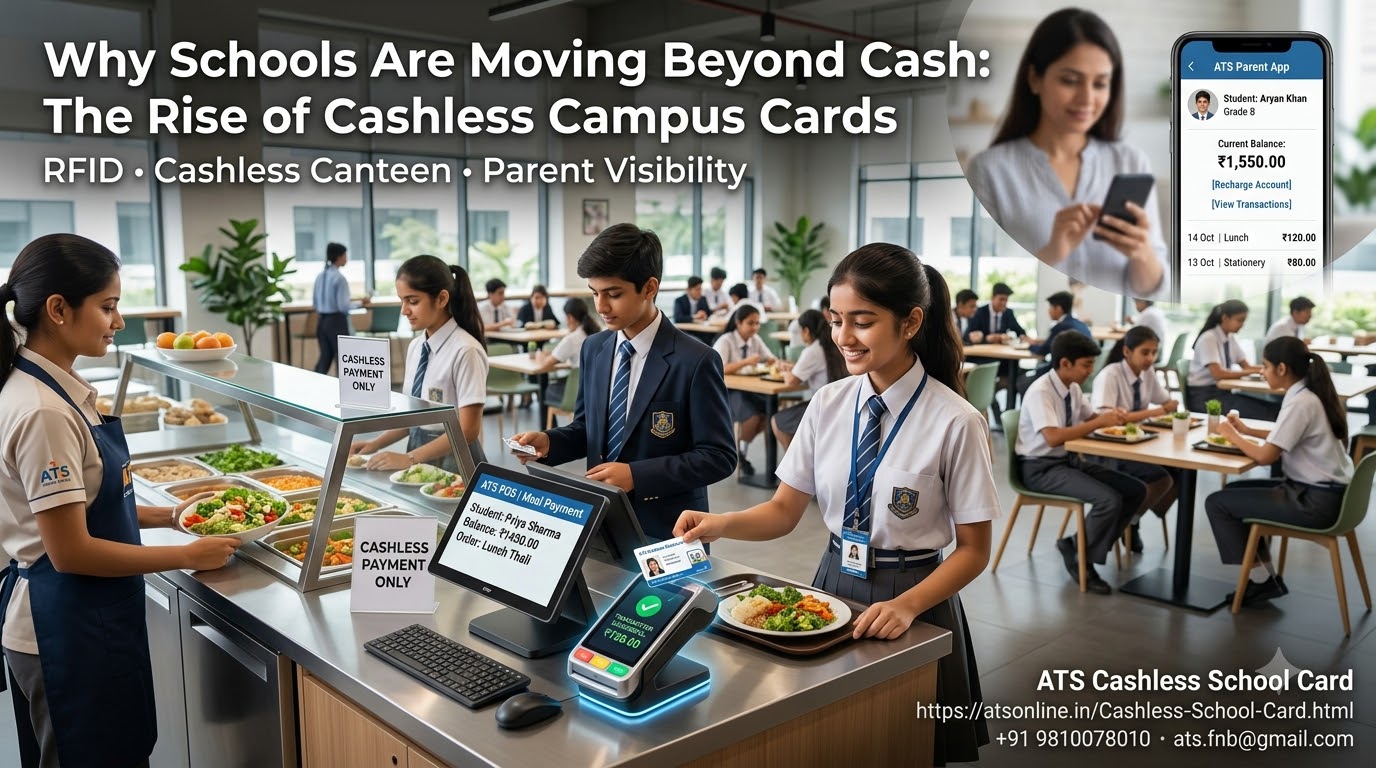
Discover how a cashless school card system simplifies canteen billing with RFID student cards, online recharges, parent spending visibility, lost-card protection and digital reports.
Managing payments in a school canteen may appear simple, but it becomes a significant operational challenge when hundreds or thousands of students need to purchase food during short breaks. Handling cash, returning change, maintaining records and resolving payment discrepancies can consume valuable time for canteen staff and school administrators.
Parents also face a different concern: how can they provide their children with spending money while knowing where and how that money is being used?
A Cashless School Card System offers a practical way to address these challenges. By using RFID-enabled student cards, prepaid balances and computerised billing software, schools can simplify canteen transactions, reduce dependence on physical cash and provide parents with greater transparency over campus purchases.
Modern systems can also support online balance recharges, transaction monitoring, lost-card protection and digital reporting.
This guide explains how a cashless school card system works, its benefits for schools and parents, the features to evaluate before implementation, and how Advance Technology Systems (ATS) can help educational institutions modernise their canteen payment operations.
What Is a Cashless School Card System?
A cashless school card system is a digital payment arrangement that allows students to purchase meals, snacks and other approved items using a prepaid smart card instead of physical money.
The card is linked to a student account or prepaid balance maintained by the software. When a student makes a purchase, the cashier processes the order through the point-of-sale (POS) system and the payment is recorded electronically.
Many schools use RFID-enabled student identity cards, allowing the same card to serve as both an identification credential and a payment card, subject to hardware and card compatibility.
A typical system includes:
- RFID-enabled student cards.
- Computerised canteen billing software.
- Compatible RFID card readers.
- A prepaid balance management process.
- An online recharge facility, where available.
- Transaction history and sales reports.
- Administrative controls for card management.
- Parent-facing balance and purchase information, depending on the system.
The objective is to make everyday campus purchases faster, more accountable and easier to manage.
Why Are Schools Moving Towards Cashless Payments?
Traditional school canteens often rely on cash, paper coupons or manually maintained records. These methods can work in smaller environments, but their limitations become more noticeable as student numbers increase.
1. Long queues during school breaks
Students usually have limited time to purchase and eat their food. Cash counting, change management and manual calculations can slow service, especially when several classes visit the canteen at the same time.
RFID card payments reduce the number of payment steps involved in a transaction. Students can present their cards, and the POS system processes the purchase according to the available balance and configured rules.
2. Students losing their pocket money
Children may misplace wallets, forget their lunch money or lose cash while moving around campus.
A prepaid school card provides an alternative to carrying physical currency. Schools should also establish a clear procedure for reporting missing cards and protecting the associated balance.
3. Limited visibility into student spending
When students carry cash, parents may not know how much was spent or which items were purchased.
A cashless school card system with parent-facing transaction information can provide a clearer record of purchases and help families discuss spending habits.
4. Manual accounting and reconciliation
Canteen operators need to track sales, cash collections, refunds and stock movement. Manual records can create additional administrative work and make discrepancies harder to investigate.
Digital transaction records and reports help school management review activity and reconcile sales more systematically.
5. Difficulties managing large student populations
Schools with several hundred or several thousand students need a consistent process for issuing cards, maintaining balances and processing purchases.
A computerised system can standardise these activities and reduce repetitive administrative work.
How Does an RFID Cashless School Card System Work?
RFID stands for Radio Frequency Identification. It allows a compatible card and reader to exchange identification information without requiring the card to be inserted into a slot.
A typical prepaid school canteen workflow follows these steps.
Step 1: Register the student
The school associates a compatible RFID card with the appropriate student account. The process can use an existing RFID-enabled student ID card if its technology is supported by the selected system.
Step 2: Add money to the account
Parents or authorised school staff add funds through the available recharge method. Depending on the configuration, this may include an online portal or an authorised recharge counter.
Step 3: Select canteen items
The cashier enters the student’s selected food items into the POS software. The system calculates the purchase amount.
Step 4: Tap the student card
The student presents the RFID card to the reader. The system identifies the associated account and processes the payment according to the configured rules.
Step 5: Record the transaction
The purchase is recorded so that the relevant balance and transaction history can be updated.
Step 6: Review the balance and purchase history
Parents and students can use the available account or customer-facing features to check the remaining balance and review recorded transactions.
The precise workflow depends on the software configuration, card technology and connectivity arrangements.
Key Benefits of a Cashless School Card System
Benefits for school management
Reduced physical cash handling: Electronic transactions reduce the need for students and canteen staff to exchange notes and coins for supported purchases.
Better financial visibility: Digital records make it easier to review sales, reconcile collections and investigate discrepancies.
Faster canteen operations: Contactless card transactions can reduce payment-related delays during busy school breaks.
Simplified administration: Centralised student and transaction records can reduce repetitive manual work.
Improved operational reporting: Sales reports help management understand transaction volumes, popular products and canteen performance.
Integration with existing ID cards: Where card technology is compatible, schools may be able to use existing RFID-enabled student identification cards rather than introducing an entirely separate card.
Benefits for parents
Convenient online recharges: Parents can add money through an available online recharge facility without sending cash to school every day.
Purchase visibility: Where supported, parents can review their children’s recorded canteen purchases.
Lost-card protection: Online card-freezing facilities can help prevent further authorised use of a reported missing card, subject to the system’s processing and connectivity rules.
Better spending awareness: Reviewing transaction history helps parents understand spending patterns and discuss responsible money management with their children.
Less dependence on daily pocket money: Parents can maintain a prepaid balance instead of providing physical cash each morning.
Benefits for students
Convenient payments: Students can pay for approved purchases by presenting their cards.
Less need to carry cash: A prepaid card reduces dependence on physical money for participating campus purchases.
Shorter payment queues: Faster payment processing can help students spend less time waiting at the counter.
Simple balance checking: Available customer-facing balance features help students understand how much money remains in their account.
Parent Control: An Important Feature of Modern School Card Systems
A school payment system should not only make transactions easier. It should also give parents appropriate visibility into how their children use their prepaid balances.
Before selecting a solution, schools should evaluate the following capabilities.
Online balance recharge
An online recharge facility allows parents to add funds to their child’s account through the supported portal.
This can reduce the administrative burden of collecting small cash amounts and make it easier for families to maintain sufficient balances.
Purchase transaction history
Transaction history can show when a purchase occurred, its value and other available details.
For greater transparency, itemised records are especially useful because parents can see which products were purchased rather than only the total amount deducted.
Instant card freezing
A lost or stolen card creates a potential risk if another person attempts to use it.
A card-freezing feature gives parents or authorised administrators a way to block further use of the card. Schools should verify how quickly the freeze takes effect across all terminals and how a replacement card is issued.
Student photo identification
A system that displays a student’s photograph during a transaction can provide an additional visual identity check for the cashier, where this feature is enabled.
It should complement appropriate card and account controls rather than be treated as a complete security guarantee.
Spending limits and purchase restrictions
Schools should determine whether they need daily spending limits, product restrictions or other controls.
These functions should be confirmed with the vendor, because availability varies between software products and configurations.
What Is Different About a QR-Based Balance Checking Facility?
Some students and parents want to check the remaining card balance without installing another mobile application or remembering a separate login.
A QR-based customer self-service feature can help address this requirement.
In the ATS implementation described on its product page, a printed canteen slip can carry a second QR code. Scanning the code opens a customer-facing balance page that can display the current balance and transaction history in a smartphone browser.
The described functionality includes:
- A live balance display.
- Transaction history covering top-ups, purchases and refunds.
- Itemised canteen purchase information, where available.
- Transaction date, time and operator details.
- Automatic balance-page refreshing.
- Browser access without requiring a dedicated app download.
This can make it easier for parents to review canteen activity and clarify a transaction when a question arises.
Schools should confirm the exact implementation, access controls, privacy safeguards and the information exposed by each QR code before deployment. A QR code should not unintentionally disclose one student’s account information to another person.
Offline vs Online Cashless School Card Systems
Connectivity is an important consideration when choosing school canteen software.
A school may have reliable internet connectivity in its administrative office but weaker connectivity at a canteen counter. Even a brief disruption during a busy break can affect service if the POS system requires an uninterrupted online connection for every transaction.
An offline-capable system can process supported transactions locally, while online features such as remote recharge and parent portals may require connectivity.
| Consideration | Internet-dependent system | Offline-capable system |
|---|---|---|
| Canteen billing during an internet outage | Depends on offline support | Supported transactions can continue locally |
| Online parent recharge | Usually available when connected | May be available through a connected portal |
| Local transaction processing | Depends on architecture | Designed to support local processing |
| Remote balance checking | Requires a connected service | Requires connectivity for the online customer-facing page |
| Data backup and recovery | Depends on service design | Requires a suitable local backup and recovery plan |
Important: Offline billing does not mean that every online feature remains available during an internet outage. Schools should ask vendors to demonstrate how card balances, multiple terminals, recharge updates and transaction synchronisation are handled.
How to Implement a Cashless School Card System
A successful implementation requires more than installing software and distributing cards. Schools should plan the operational process before launching the system to students and parents.
Phase 1: Assess school requirements
Estimate the number of students, canteen counters, expected transactions during each break and the number of staff who will operate the system.
Identify whether the solution will be used only in the canteen or also in a school shop or other approved campus facilities.
Phase 2: Check existing ID cards
Determine whether the school already uses RFID-enabled identity cards.
Ask the vendor to verify card compatibility, reader requirements and whether existing cards can be reused. Not every RFID card is compatible with every reader or software system.
Phase 3: Choose the billing and balance model
Define how student accounts will be funded and how purchases will be processed.
Decide whether parents will recharge online, whether school staff will accept recharge payments, and how refunds, lost cards and account adjustments will be handled.
Phase 4: Select the required hardware
Confirm the number of computers or POS terminals, RFID readers, printers and any networking or backup-power equipment required.
The final bill of materials depends on the number of counters, the chosen software and the existing infrastructure.
Phase 5: Configure student records and permissions
Set up student accounts and assign the appropriate cards. Establish staff permissions and procedures for sensitive operations such as refunds, adjustments and card replacement.
Test the accuracy of the student records before the system goes live.
Phase 6: Train canteen staff
Staff should practise entering orders, processing card payments, handling insufficient balances, resolving errors and closing their counters.
A system that is easy for cashiers to use is more likely to deliver the expected operational benefits.
Phase 7: Inform parents and students
Explain how to recharge accounts, check balances, review transactions and report lost cards.
Publish clear instructions for refunds, remaining balances at the end of the academic year and any applicable card-related charges.
Phase 8: Run a controlled launch
Test the system at a limited number of counters or during a controlled operating period before expanding campus-wide.
Check transaction speed, report accuracy, card behaviour, recharge processing and the support process for resolving problems.
How Much Does a Cashless School Card System Cost?
The total cost depends on student numbers, the number of billing terminals, existing card infrastructure and the required software features.
A school should consider the following cost components:
- Software licensing or subscription charges.
- POS computers and compatible RFID readers.
- RFID cards, if new cards are required.
- Printers and other counter equipment.
- Installation and initial configuration.
- Staff training and technical support.
- Online recharge and customer-facing modules, where applicable.
- Maintenance, upgrades and recurring service costs.
Schools should compare the full cost over several academic years rather than looking only at the initial purchase price.
They should also calculate the administrative time currently spent collecting cash, maintaining manual records, reconciling sales and resolving payment-related queries. This provides a more useful basis for evaluating the operational value of the investment.
Request a detailed quotation based on the actual number of students, terminals and features required.
Why Consider ATS Cashless School Card Software?
Advance Technology Systems (ATS) provides a cashless school card solution designed for school and campus canteen payments.
The product combines RFID-based student card transactions with software features intended to simplify billing and improve visibility for administrators and parents.
Key capabilities highlighted on the ATS product page include:
- RFID student card integration: Support for compatible existing student RFID cards.
- Cashless canteen billing: Record purchases through the canteen POS system.
- Online balance recharge: Allow parents to add money through the supported online portal.
- Parent purchase monitoring: Provide access to recorded transaction information.
- Lost-card freezing: Help protect the associated balance when a card is reported missing.
- Sales and inventory reports: Give administrators information for reviewing canteen operations.
- Photo identification: Support on-screen photo identification where configured.
- QR-based balance checking: Allow customers to scan a printed QR code to view a balance and transaction history through a browser.
These capabilities address common concerns involving cash handling, canteen queues, account visibility and administrative reconciliation.
The exact features available will depend on the selected configuration. Schools should confirm terminal requirements, online recharge arrangements, offline transaction behaviour, reporting options and applicable licensing costs before implementation.
To explore the solution, visit the ATS Cashless School Card product page.
Frequently Asked Questions About Cashless School Card Systems
1. What is a cashless school card system?
A cashless school card system allows students to purchase approved items using a prepaid or account-linked card instead of physical cash. A compatible POS system records the purchases and manages the associated balance.
2. How does an RFID school card work?
An RFID-enabled card communicates with a compatible reader. The software identifies the associated student account and processes the transaction according to the configured payment rules.
3. Can schools use their existing student ID cards?
Yes, if the existing cards use compatible RFID technology and are supported by the chosen software and readers. Compatibility should be verified before implementation.
4. How can parents recharge their child’s school card?
Depending on the system, parents can add funds through an online portal or another authorised recharge facility. The school should explain the available payment methods and any applicable fees.
5. Can parents monitor their child’s canteen purchases?
Systems with parent-facing transaction monitoring can provide purchase history and balance information. Some systems also support itemised transaction details, allowing parents to review what was purchased.
6. What happens if a student loses a school card?
The school should follow its lost-card procedure. Where supported, the card can be frozen or deactivated, and a replacement can be linked to the student’s account. Confirm how outstanding balances are protected during this process.
7. Can a cashless school card system work without the internet?
Some systems support offline canteen billing. However, online recharge, remote balance checking and other connected services may require internet access. Schools should verify the offline capabilities of the specific product.
8. Can a school card system reduce canteen queues?
It can reduce payment-related delays by simplifying transactions and avoiding cash counting. The actual improvement depends on transaction volume, cashier workflow, card-reader performance and the number of service counters.
9. Can schools monitor canteen sales and inventory?
Many school canteen POS systems provide sales reports, and some include inventory reporting. Schools should confirm which inventory functions are included and whether additional configuration is required.
10. Can parents check a card balance without installing an app?
Some systems offer browser-based balance checking through a customer portal or QR code. ATS describes a QR-based balance and transaction-history page on its product website, allowing access through a smartphone browser without a dedicated app download.
11. Is a cashless school card system suitable for small schools?
It can be suitable for small and large schools, provided the software, hardware and licensing costs are proportionate to the school’s requirements. The number of students, transaction volume and existing infrastructure should guide the decision.
12. How do schools choose the right cashless card software?
Evaluate card compatibility, billing speed, offline capability, recharge options, parent monitoring, lost-card controls, reporting, data security, technical support and total cost of ownership. A live demonstration using a realistic canteen workflow is recommended.
Conclusion: Make School Canteen Payments Simpler and More Transparent
A cashless school card system can help educational institutions modernise everyday canteen operations while reducing reliance on physical cash.
RFID-based billing can make purchases more convenient for students, digital reports can simplify reconciliation for administrators, and parent-facing features can improve visibility into balances and spending.
The best implementation combines suitable technology with clear school policies, reliable support, appropriate data protection and straightforward procedures for recharges, refunds and lost cards.
For schools evaluating an RFID-based cashless payment solution, ATS offers software designed around student card payments, canteen billing and parent-facing account visibility.
Ready to modernise your school canteen?
Explore the ATS Cashless School Card System and contact Advance Technology Systems to discuss your school’s student population, number of billing terminals and required features.
Advance Technology Systems (ATS)
Website: https://atsonline.in/Cashless-School-Card.html
Phone: +91 9810078010
Email: ats.fnb@gmail.com