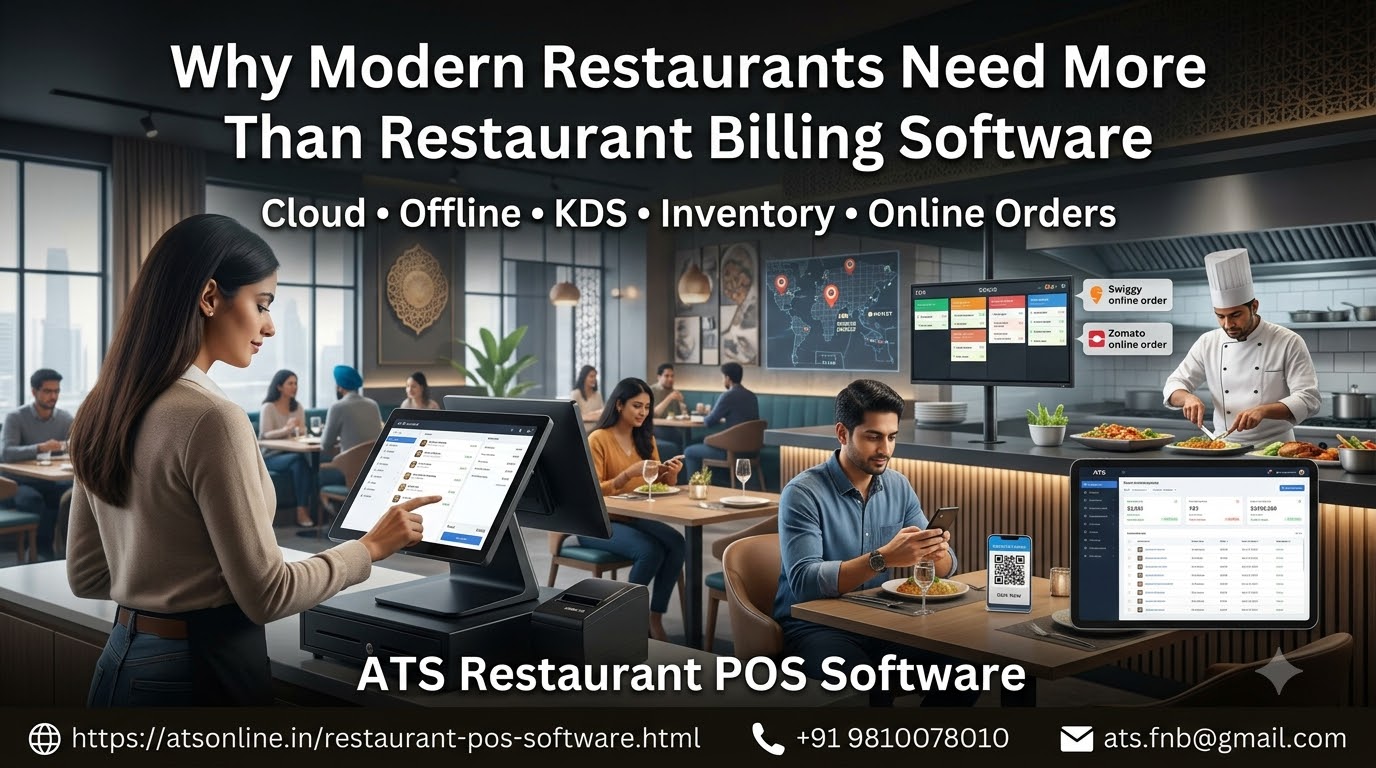
Discover restaurant POS software for faster billing, kitchen order management, inventory costing, Swiggy and Zomato integration, and hybrid offline-cloud operations.
Running a restaurant successfully requires more than serving good food. Restaurant owners must manage customer orders, billing, kitchen operations, inventory, staff performance, discounts, online orders and daily financial reconciliation.
When these activities rely on disconnected systems or manual processes, mistakes become more likely. Orders may be entered incorrectly, kitchen tickets may be misplaced, stock records may become inaccurate, and managers may struggle to understand the restaurant’s actual profitability.
Restaurant POS Software brings essential restaurant operations into a more organised workflow. A modern point-of-sale system can connect order taking, billing, kitchen communication, payment processing, inventory tracking and sales reporting.
For restaurants that depend on continuous service, the ability to continue billing during an internet outage is another important consideration. A hybrid offline-cloud POS can combine local transaction processing with online reporting and centralised management, depending on the configuration.
In this guide, we explain how restaurant POS software works, which features matter most, how to manage kitchen operations and inventory, how online food orders fit into the workflow, and what to consider when selecting a system for your restaurant.
What Is Restaurant POS Software?
Restaurant POS Software is a digital system used to record customer orders, calculate bills, process payments and manage the operational activities associated with restaurant sales.
POS stands for Point of Sale. In a restaurant, the POS is more than a billing counter: it can connect the front-of-house team with the kitchen, bar, inventory system and management reports.
Depending on the product, a restaurant POS system may include:
- Dine-in table and order management.
- Counter-service and takeaway billing.
- Kitchen Order Ticket (KOT) printing.
- Kitchen Display System (KDS).
- Mobile waiter or captain ordering.
- Multiple payment methods and split bills.
- Inventory and recipe costing.
- Online food order integration.
- QR-code menus and direct ordering.
- Customer loyalty and rewards.
- Sales reports and multi-outlet dashboards.
The right combination depends on the type and size of the restaurant. A small cafe may need fast counter billing and a receipt printer, while a full-service restaurant may require table management, kitchen routing and mobile order taking.
Why Does a Restaurant Need a POS System?
Restaurant operations involve multiple activities happening simultaneously. A POS system helps connect these activities and reduce unnecessary manual work.
1. Faster and more accurate billing
Manual calculations and repeated data entry can slow checkout and create billing mistakes.
A POS system calculates totals based on configured menu prices, taxes, discounts and modifiers. It also creates a transaction record that can be used for reporting and reconciliation.
2. Better communication between service staff and the kitchen
When waiters communicate orders verbally or use handwritten notes, instructions may be missed or misunderstood.
A POS system can send orders directly to designated kitchen printers or a kitchen display. This gives kitchen staff a more consistent record of what needs to be prepared.
3. Improved control over sales
Restaurant owners need to know how much the business sells, which items perform well and when demand is highest.
Digital reports can organise sales by date, product, payment method, cashier or outlet, depending on the available features.
4. More reliable stock management
Without systematic stock records, a restaurant may experience unexpected shortages, excessive purchases or unexplained ingredient consumption.
Inventory-enabled POS software can connect recorded sales with ingredient usage and stock levels when recipes and inventory rules are properly configured.
5. Easier management of online orders
Restaurants receiving orders through their own website or food delivery platforms may have to manage several devices and order screens.
An integrated POS workflow can reduce duplicate data entry when the required integrations are supported.
6. Continuity during internet interruptions
An internet-dependent billing system can become difficult to use when connectivity fails.
A POS with a properly designed offline mode can continue processing supported local transactions and synchronise data when connectivity returns.
Essential Features of Restaurant POS Software
Before selecting a system, identify the functions that directly affect your restaurant’s daily operations.
Dine-in table management
Full-service restaurants need to manage table availability, customer orders and bill settlement.
Useful features include:
- Visual table layouts.
- Table transfers and item transfers.
- Split bills and combined bills.
- Pending orders and unbilled items.
- Multiple kitchen order tickets for a table.
- Reservation or table-status tracking where supported.
These features help staff manage the customer journey from order placement to final payment.
Quick-service and takeaway billing
Quick-service restaurants, bakeries, cafes and food trucks require a different workflow from traditional dine-in restaurants.
The cashier needs to select items, apply relevant modifiers, accept payment and issue a receipt quickly.
Useful functions include quick item selection, combo pricing, discounts, takeaway billing, receipt printing and token-number generation.
Kitchen Order Ticket management
A Kitchen Order Ticket, or KOT, communicates the order from the POS to the kitchen.
A suitable system can send different items to designated preparation stations, such as the main kitchen, tandoor, dessert counter or bar.
This helps staff organise orders and reduces the risk of missing handwritten instructions.
Kitchen Display System
A Kitchen Display System replaces or supplements printed tickets with a digital screen that shows orders to kitchen staff.
Depending on the setup, a KDS can display incoming orders, preparation status, elapsed time and station-specific tasks.
It can help kitchen teams prioritise work and make it easier for supervisors to identify delayed orders.
Mobile waiter ordering
A mobile waiter or captain app allows staff to enter orders using a compatible phone or tablet.
Orders can then be sent to the POS and kitchen through the supported local network or system architecture.
This reduces the need for handwritten order pads and repeated entry at the billing counter.
Multiple payment methods
Restaurants may accept cash, UPI, credit and debit cards, account payments or other configured methods.
The POS should record the payment method used and support split settlement where required.
Actual payment processing depends on the selected hardware, payment provider and integration.
Cloud POS vs Offline POS: Which Is Better for Restaurants?
One of the most important decisions is how the software behaves when the internet connection becomes unavailable.
A cloud-based system can provide centralised access to data and reports. However, not every cloud POS has the same offline capabilities.
An offline-first or hybrid POS can process supported transactions locally and use the cloud for remote reporting, multi-outlet management or data synchronisation.
| Consideration | Internet-dependent POS | Hybrid offline-cloud POS |
|---|---|---|
| Billing during an internet outage | May be interrupted | Supported billing can continue locally |
| Centralised online reporting | Usually available | Available when connected and configured |
| Local transaction processing | Depends on the product | A core capability |
| Multi-outlet management | Commonly supported | Can be supported through cloud synchronisation |
| Online order integration | Depends on integration | Depends on integration and connectivity |
| Recovery after an outage | Depends on service design | Requires reliable synchronisation and recovery procedures |
For restaurants that cannot afford interruptions during lunch or dinner service, offline capability can be valuable.
Before purchasing, ask the vendor to demonstrate what happens when internet connectivity is disconnected during active billing. Confirm how multiple terminals continue working, how transactions are stored and how data is reconciled after reconnection.
Offline capability does not eliminate every possible failure. Local network problems, power interruptions, hardware faults and database issues also need appropriate safeguards.
How Restaurant POS Software Improves Kitchen Operations
The kitchen is one of the most important parts of a restaurant’s operating workflow. Even a fast billing counter cannot deliver a good customer experience if orders are lost, delayed or prepared incorrectly.
Digital order routing
The POS can route relevant items to designated printers or kitchen display stations.
For example, beverage orders may go to the bar while food orders go to the main kitchen. The precise routing depends on the configured menu and kitchen setup.
Reduced order-entry errors
Orders entered directly into the POS provide a consistent digital record for the kitchen.
Modifiers such as extra cheese, no onion or less spicy can be included where the system supports item modifiers and kitchen instructions.
Better visibility into preparation status
A KDS can help staff identify new, pending and completed orders. Preparation timers and colour-coded status indicators, where available, can help supervisors prioritise work.
Improved coordination between kitchen and service staff
When an order is marked ready, a connected workflow can notify the appropriate service staff or update the display.
This reduces the need for repeated verbal checks between the kitchen and the front of the restaurant.
Performance measurement
Where preparation timestamps are recorded, managers can review average preparation times, delayed orders and station workload.
These records can help identify bottlenecks and improve staffing or preparation processes.
Inventory Management and Recipe Costing
Restaurant profitability depends on understanding not only sales but also the cost of producing each dish.
Inventory-enabled POS software can connect menu sales with ingredient consumption, purchase records and stock adjustments.
Ingredient-level stock tracking
Maintain records of ingredients such as flour, rice, oil, vegetables, dairy products and meat.
The system should support appropriate units of measurement and stock adjustments.
Recipe and portion costing
A recipe defines the ingredients and quantities required to prepare a menu item.
For example, a paneer dish may use a specified quantity of paneer, gravy, oil and other ingredients. Linking the recipe to the menu item can help estimate the ingredient cost of each recorded sale.
Automatic stock depletion
When a dish is sold, the software can calculate the expected ingredient consumption from the configured recipe and deduct it from the relevant stock records.
The result is only as accurate as the recipes, portion sizes and sales records maintained by the restaurant.
Wastage and variance reporting
Record spoilage, preparation waste, damaged ingredients and stock adjustments.
Comparing expected consumption with physical stock counts can help identify discrepancies that require investigation.
Purchase planning
Historical sales and stock data can help management estimate purchasing requirements and avoid unnecessary overstocking or shortages.
Important: A POS system does not automatically know the exact amount of every ingredient used unless the relevant recipes, quantities and stock procedures are configured and followed.
Integrating Swiggy and Zomato Orders with Restaurant POS Software
Online food delivery has created another operational challenge for restaurants: managing orders across multiple channels.
Without integration, staff may need to monitor separate tablets, manually enter orders into the POS and update item availability across several menus.
A supported aggregator integration can consolidate parts of this workflow.
Potential benefits include:
- Receiving supported online orders in the POS.
- Sending accepted orders to the kitchen display or printers.
- Reducing manual re-entry of orders.
- Synchronising menu information and availability where supported.
- Improving visibility into sales across dine-in, takeaway and delivery.
- Reducing the risk of selling unavailable items.
ATS’s restaurant POS page describes a Swiggy and Zomato order bridge with menu synchronisation and order routing into the POS and kitchen workflow.
Before relying on any integration, confirm the actual access method and commercial requirements. Direct API integration depends on supported platform access and the relevant permissions. Not every restaurant POS can integrate with every delivery platform automatically.
If direct integration is unavailable, alternative workflows may exist, but they should be evaluated carefully for reliability, accuracy and platform compliance.
QR-Code Menus and Direct Restaurant Ordering
QR-code menus allow customers to scan a code at the table and browse a digital menu on their phones.
Depending on the implementation, the customer may view item descriptions and images, place an order or proceed to payment.
Potential benefits include:
- Easier menu updates.
- Less dependence on printed menus.
- Convenient access to item descriptions and modifiers.
- Support for direct ordering workflows.
- Opportunities to promote special offers and add-ons.
A QR menu does not automatically eliminate the need for staff. Some customers still need assistance, and the restaurant must ensure that orders reach the correct table or service station.
If the system supports direct ordering and payment, confirm how the order is sent to the kitchen and how payment status is reconciled with the final bill.
How to Reduce Revenue Leakage with Restaurant POS Software
Revenue discrepancies may result from missed transactions, incorrect discounts, unauthorised voids, complimentary items, stock variances or inconsistent cash-handling procedures.
A POS system helps create records and controls, but it cannot guarantee the elimination of every form of loss.
Restrict sensitive functions
Where supported, limit refunds, voids, discounts and manual price changes to authorised employees.
Maintain an audit trail
Review transaction records for cancellations, bill reprints, complimentary items and adjustments.
Reconcile daily collections
Compare POS sales with recorded cash, digital payments and other payment methods.
Monitor inventory variance
Compare expected ingredient consumption with physical stock and investigate unexplained differences.
Review performance reports
Look at sales by cashier, item, time period and outlet to identify unusual patterns that require further examination.
These controls work best when combined with clear procedures, staff training and consistent management supervision.
Managing Multiple Restaurant Outlets
Restaurant chains and franchises need to maintain consistent operations across locations while monitoring the performance of each branch.
A multi-outlet POS platform can help centralise management activities.
Depending on the system, central management may include:
- Outlet-wise sales reporting.
- Menu and price management.
- Staff permissions.
- Central purchasing and stock transfers.
- Recipe and costing standards.
- Brand-level performance comparisons.
- Central kitchen or commissary workflows.
For a growing restaurant business, these features can reduce the administrative burden of managing multiple independent systems.
Before deployment, verify which data is synchronised automatically, which activities require an internet connection and how conflicting changes are handled during offline operation.
How to Choose the Right Restaurant POS Software
Use the following checklist to evaluate vendors.
- Identify your restaurant type. Dine-in, QSR, cafe, bakery, cloud kitchen and bar operations have different requirements.
- Check offline capability. Test billing and kitchen order processing during an internet outage.
- Evaluate the kitchen workflow. Confirm KOT routing, kitchen display support and order-status management.
- Review payment options. Check UPI, card, cash and split-payment workflows.
- Assess inventory requirements. Decide whether basic stock control or detailed recipe costing is necessary.
- Confirm online integrations. Ask which delivery platforms, APIs and ordering channels are supported.
- Test reporting. Review sales, discounts, voids, cashier activity and outlet-wise reports.
- Check hardware compatibility. Verify support for existing computers, tablets, printers and cash drawers.
- Understand data ownership and backup. Ask where records are stored and how backups and restoration work.
- Calculate total cost of ownership. Include software, hardware, installation, training, support and recurring fees.
- Request a live demonstration. Test the complete workflow from order entry to kitchen preparation and final payment.
A demonstration using your own menu and actual operating procedures is more useful than relying only on a feature list.
Why Consider ATS Restaurant POS Software?
Advance Technology Systems (ATS) provides restaurant POS solutions designed to support billing, kitchen operations, inventory management and restaurant reporting.
The restaurant POS offering described on the ATS website combines cloud-based management capabilities with hybrid offline operation.
Key capabilities highlighted on the product page include:
Hybrid offline-cloud billing: Continue processing supported local transactions during internet interruptions and synchronise data when connectivity returns.
Dine-in and counter-service billing: Support different restaurant formats, including table service and quick-service operations.
Kitchen Order Ticket management: Route orders to the appropriate kitchen stations using supported printers and workflows.
Kitchen Display System: Organise preparation queues and help kitchen staff track incoming orders and preparation status.
Mobile waiter ordering: Allow staff to enter orders from compatible mobile devices.
Swiggy and Zomato integration: The published product page describes a direct order bridge, including menu synchronisation and order routing. Confirm the supported integration and access requirements for your restaurant.
Inventory and recipe costing: Track raw material consumption, recipe costs and stock-related records where configured.
QR-code ordering: Support digital menu and direct ordering workflows where the relevant modules are enabled.
Multiple payment methods: Record supported cashless and cash settlement options through the POS workflow.
Multi-outlet management: Centralise reporting and selected management functions for restaurants operating multiple branches.
The appropriate setup depends on your restaurant’s size, service style, hardware, connectivity and integration requirements.
Explore the ATS Restaurant POS Software page to discuss your requirements and request a product demonstration.
Explore the ATS Restaurant POS Software and contact Advance Technology Systems to discuss your restaurant’s requirements.
Advance Technology Systems (ATS)
Website: https://atsonline.in/restaurant-pos-software.html
Phone: +91 9810078010
Email: ats.fnb@gmail.com
Frequently Asked Questions About Restaurant POS Software
1. What is the best restaurant POS software?
The best solution depends on your restaurant’s service model, budget and operational needs. Prioritise billing reliability, kitchen integration, reporting, inventory controls and any online ordering integrations you require.
2. Can restaurant POS software work without the internet?
Some systems support offline billing by processing transactions locally. Hybrid systems may synchronise records with the cloud when connectivity returns. Confirm the exact offline capabilities of the product.
3. What is a Kitchen Order Ticket?
A Kitchen Order Ticket, or KOT, communicates the items ordered by a customer to the kitchen. It may be printed on a kitchen printer or displayed digitally through a connected KDS.
4. What is a Kitchen Display System?
A Kitchen Display System is a screen-based workflow that shows orders to kitchen staff. It can help organise preparation queues, track order status and improve coordination.
5. Can a restaurant POS integrate Swiggy and Zomato orders?
Some POS systems support integrations with food delivery platforms. The exact capabilities depend on supported APIs, platform permissions and the vendor’s implementation. Confirm whether orders and menus can be synchronised directly.
6. Can restaurant POS software manage inventory?
Inventory-enabled systems can track stock, purchases and recipe-based ingredient consumption. The available functions depend on the software and the accuracy of the restaurant’s stock and recipe data.
7. Can restaurant POS software manage multiple outlets?
Yes, some systems provide centralised multi-outlet reporting, menu management and selected operational controls. Verify which features are included and how data synchronisation works.
8. Can customers order using QR codes?
Some systems support QR-code menus and direct ordering. Depending on the configuration, customers can browse menu items, place orders and potentially complete payment through a connected workflow.
9. How does restaurant POS software reduce billing errors?
It standardises prices, calculates configured taxes and discounts, records payments and creates transaction histories. Staff permissions and audit reports can also help managers investigate discrepancies.
10. How much does restaurant POS software cost?
Pricing varies according to the number of terminals, selected modules, hardware, installation, support and licensing model. Request a quotation based on your actual requirements and compare the total cost over the intended period.
11. Is restaurant POS software suitable for small cafes?
Yes. A small cafe may need only fast counter billing, order printing and basic sales reports. More advanced features can be added when the business expands, if the product supports modular configuration.
12. Where can I learn more about ATS Restaurant POS Software?
Visit the ATS Restaurant POS Software page to review its published capabilities and request a demonstration.
Conclusion: Build a More Efficient Restaurant Operation
Restaurant POS Software plays an important role in connecting billing, kitchen communication, inventory, online orders and management reporting.
The right system can help restaurants reduce repetitive data entry, improve order accuracy, monitor sales and make stock control more systematic. Offline capability can also reduce dependence on continuous internet connectivity, while supported online integrations can simplify delivery order management.
However, the value of the system depends on how well its features match the restaurant’s actual workflow. Menu configuration, staff training, stock accuracy and clear financial controls remain essential.
Whether you operate a cafe, full-service restaurant, quick-service outlet, cloud kitchen or multi-branch chain, evaluate the software through a practical demonstration before making a decision.
Looking for Restaurant POS Software with hybrid offline-cloud billing, kitchen management and online order integration?
Explore the ATS Restaurant POS Software and contact Advance Technology Systems to discuss your restaurant’s requirements.
Advance Technology Systems (ATS)
Website: https://atsonline.in/restaurant-pos-software.html
Phone: +91 9810078010
Email: ats.fnb@gmail.com