
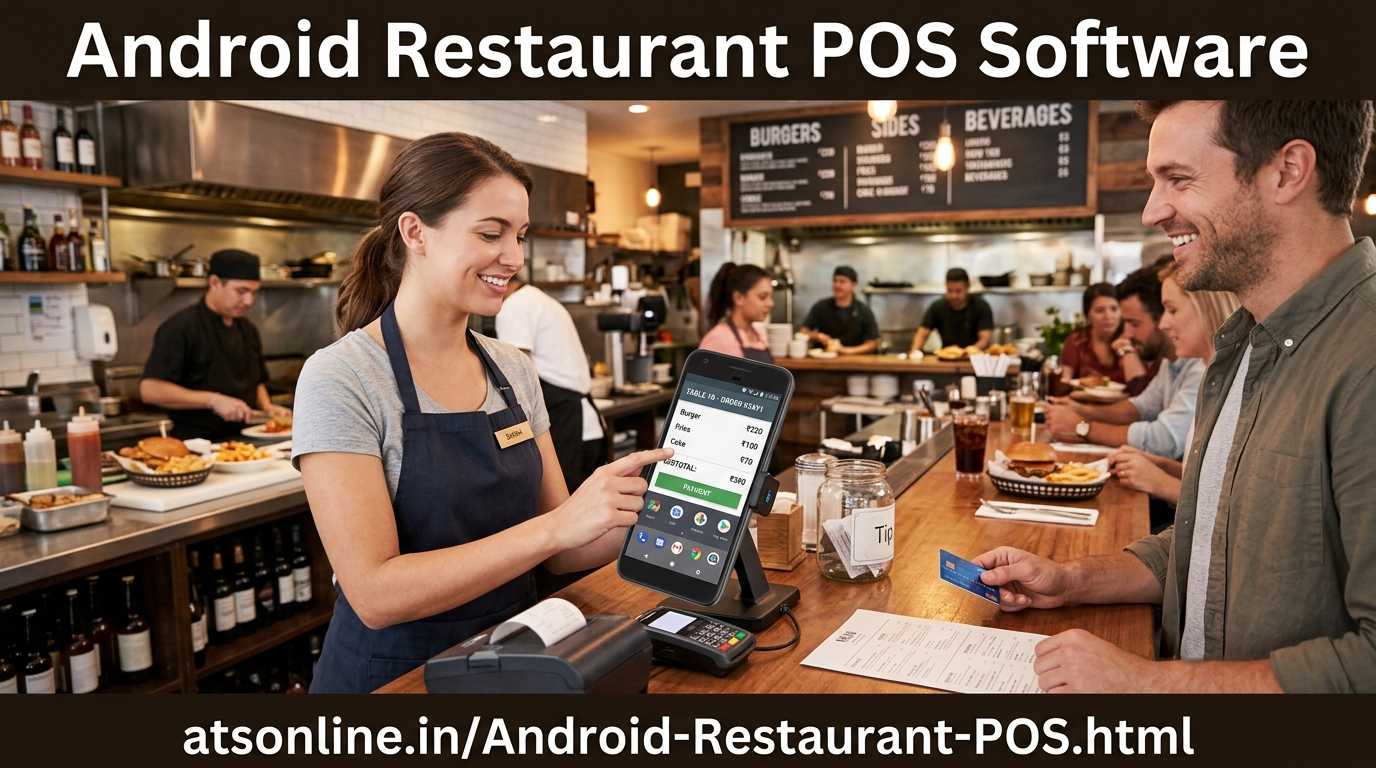
Discover why Android Restaurant POS is the smartest choice for Indian restaurants. Works offline, affordable price, phone / tablet billing.
Walk into almost any independent restaurant in India and you will find one of two billing setups: a paper KOT book and a basic cash register, or an expensive Windows POS system that cost ₹80,000–₹1,50,000 to set up and requires a dedicated terminal, a trained operator, and an IT person when something breaks.
There is a better option — and it has been sitting in every restaurant owner’s pocket the whole time. Android-powered tablets and smartphones have transformed POS software for Indian restaurants: affordable, fast, reliable, and capable of doing everything a Windows system does — for a fraction of the cost.
ATS Android Restaurant POS is a full-featured billing, KOT, and restaurant management system that runs on any Android tablet or smartphone. It handles table service, counter billing, kitchen orders, and real-time reports — entirely from a ₹8,000–₹15,000 Android tablet. No dedicated PC. No Windows licence. No complicated setup.
With 1,100+ restaurant installations across India, ATS is one of the most trusted restaurant POS providers in the country. This guide covers everything an Indian restaurant owner needs to know before choosing an Android POS — what it does, why Android makes sense for India, how it compares to Windows, and how to buy the right system.
| Quick summary: ATS Android Restaurant POS is a complete billing and management system for Indian restaurants — running on any Android tablet. Yearly price starting at ₹3,999 on atsonline.in. Works offline. Handles dine-in, counter, takeaway, and delivery. |
| In This Guide 1. What Is an Android Restaurant POS? 2. Why Android Makes More Sense Than Windows for Indian Restaurants 3. Core Features of ATS Android Restaurant POS 4. Android POS vs Windows POS: Direct Comparison 5. Who Is Android POS Best Suited For? 6. How the ATS Android POS Works — A Day in the Restaurant 7. Offline Operation: Why It Matters in India 8. How Much Does ATS Android Restaurant POS Cost? 9. Full Feature Overview 10. Frequently Asked Questions 11. How to Buy and Get Started |
1. What Is an Android Restaurant POS?
An Android restaurant POS is a Point of Sale and restaurant management system that runs on Android devices — tablets, smartphones, or dedicated Android POS terminals — instead of traditional Windows-based computers. It performs all the functions of a restaurant POS: billing, KOT (Kitchen Order Tickets), table management, menu management, inventory tracking, and reporting.
The fundamental difference is the hardware platform. Where a Windows POS requires a dedicated desktop or laptop, an Android POS runs on a tablet you can buy for ₹8,000–₹20,000 from any electronics shop in India — or that you may already own.
Here is what a complete ATS Android POS setup looks like:
| Component | What It Is |
| Android Tablet / Phone | The POS terminal — billing screen, menu, KOT, reports |
| ATS Android POS App | The software — installed from labhak.com or direct download |
| Bluetooth Thermal Printer | Prints KOTs for kitchen and bills for customers — ₹3,000–₹8,000 |
| Cash Drawer (optional) | Connects to printer — opens automatically on cash payment |
| Wi-Fi Router | Connects multiple terminals if running multi-counter — most restaurants already have one |
| Back-Office Reports Screen | Any device — phone, tablet, PC — to view real-time reports |
2. Why Android Makes More Sense Than Windows for Indian Restaurants
This is a question many restaurant owners ask when they first consider a POS upgrade. The answer comes down to five practical realities of running a restaurant in India:
Hardware Cost Is 5–10x Lower
A Windows POS setup — PC, licence, touchscreen monitor, printer — typically costs ₹60,000–₹1,50,000. An Android POS setup — tablet, Bluetooth printer — costs ₹12,000–₹30,000 for the same functionality. For a small restaurant or cloud kitchen operating on tight margins, this difference is often the deciding factor.
Android Hardware Is Available Everywhere
If your Android tablet breaks on a busy Saturday night, you can buy a replacement at the nearest electronics shop within an hour. A Windows POS terminal requires a supplier, delivery, and IT setup. Android’s hardware ubiquity is a genuine operational advantage for Indian restaurant owners.
Touch Interface Is Natural for Restaurant Staff
Restaurant staff in India — particularly in smaller cities and towns — are far more comfortable with Android smartphones and tablets than with Windows computers. Training time on Android POS is significantly shorter. Staff make fewer errors because the interface feels familiar.
Mobility Changes How You Run the Floor
Android tablets are portable. Waiters can take orders at the table on a tablet and send the KOT directly to the kitchen — no walking back to a fixed terminal. The tablet becomes a mobile ordering device as well as a billing terminal. Windows systems are fixed to a counter.
No Windows Licence, No Maintenance Overhead
Android is free to run. No Windows licence fees. No antivirus. No Windows updates that restart your system in the middle of service. Android devices are simpler, stabler, and require far less IT maintenance — which matters enormously in a restaurant where the owner is also the IT department.
3. Core Features of ATS Android Restaurant POS
ATS Android POS is a full-featured restaurant management system — not a stripped-down mobile app. Here is what it includes:
Billing & KOT
Create bills for dine-in tables, counter customers, takeaway, and home delivery — all from the same app. KOTs are printed to the kitchen printer or displayed on a Kitchen Display System (KDS). Bills include GST breakdown, itemised charges, and custom footer (FSSAI number, address, thank-you message).
Table Management
Set up your restaurant’s table layout in the app. Each table shows its status — available, occupied, or reserved. When a customer is seated, open their table, add orders, and merge or split bills as needed. Multi-floor and outdoor section layouts are supported.
Menu Management
Add your complete menu — categories, items, prices, variants (half/full, spicy/mild), add-ons, and modifiers. Update prices and mark items as unavailable in seconds from the app — no IT person required. Menu changes reflect instantly across all terminals.
Multiple Billing Modes
ATS Android POS handles every restaurant format from one app: dine-in table service, counter service / QSR, takeaway with customer name and phone, and delivery orders. Switch between modes as your service type changes during the day.
Real-Time Sales Reports
Daily sales summary, item-wise sales, category-wise revenue, payment mode breakdown (cash, UPI, card), and staff-wise performance — all visible on any device in real time. Export to Excel for your accountant.
Customer Management & Loyalty
Store customer details — name, phone, order history. Configure loyalty points that accrue on every bill and can be redeemed on future visits. SMS or WhatsApp birthday wishes and promotional offers to your customer database.
GST-Ready Billing
ATS generates fully GST-compliant bills with CGST, SGST, and IGST breakdowns. Monthly GST reports are available for direct use in your GST filings.
4. Android POS vs Windows POS: Direct Comparison
This is the question every restaurant owner considers when upgrading from manual billing. Here is an honest, detailed comparison:
| Factor | Windows POS | ATS Android POS |
| Hardware cost | ₹60,000–₹1,50,000 setup | ₹12,000–₹30,000 setup |
| Software cost | ₹15,000–₹50,000+ licence | ₹3,999 one-time on labhak.com |
| Hardware availability | Specialist supplier needed | Any electronics shop in India |
| Setup time | 1–3 days (hardware + config) | Under 2 hours |
| Staff training time | 2–5 days | Half a day — familiar interface |
| Mobility | Fixed counter terminal | Portable — waiter ordering on floor |
| Works offline | Yes (local install) | Yes — offline-first design |
| Hardware replacement | Specific model, supplier, delivery | Any Android tablet — next-day |
| Maintenance overhead | Windows updates, antivirus, IT | Minimal — stable Android OS |
| Multi-terminal | High cost — each terminal ₹50,000+ | Low cost — ₹8,000 tablet each |
| Touch interface | Mouse + keyboard primarily | Touch-native — natural for staff |
| Best for | Large restaurants, chains, QSRs | All sizes — especially independent |
| Bottom line: For Indian independent restaurants with 1–5 billing terminals, Android POS delivers identical functionality to Windows POS at 20–30% of the cost. The only scenario where Windows genuinely wins is large chain restaurants with 10+ terminals and dedicated IT support. |
5. Who Is Android POS Best Suited For?
| Restaurant Type | Why Android POS Fits | Most Used Features |
| Small Independent Restaurant | Low cost, fast setup, no IT needed | Billing, KOT, daily reports |
| Café / Coffee Shop | Counter billing, quick service, low investment | Counter POS, QR menu, loyalty |
| Cloud Kitchen / Ghost Kitchen | Low overhead, delivery order management | Delivery billing, order tracking |
| QSR / Fast Food Counter | Speed, queue management, counter mode | Counter billing, token display |
| Dhaba / Highway Restaurant | Simple interface, Hindi-friendly, portable | Basic billing, KOT, cash reports |
| Food Court Stall | Compact setup — just a tablet + printer | Counter POS, item-wise reports |
| Tiffin / Home Kitchen | Mobile ordering, WhatsApp integration, low cost | Order management, delivery billing |
| Multi-Outlet Restaurant Group | Affordable per-outlet cost — centralised reports | Multi-outlet dashboard, reports |
6. How the ATS Android POS Works — A Day in the Restaurant
Here is what a typical day looks like at a restaurant running ATS Android POS:
Opening — Staff Login and Shift Start
The restaurant opens. The staff member logs into the ATS app on the tablet with their personal PIN. The daily sales counter resets automatically. The menu is live — with the previous evening’s ‘sold out’ items pre-cleared if you chose to reset overnight. The tablet is ready to take the first order.
Dine-In Service — Table Order and KOT
A group of four is seated at Table 7. The waiter opens Table 7 on the app, adds items from the digital menu — tapping each dish to add it to the order. The KOT prints in the kitchen within seconds. The kitchen starts preparing. The table’s running total is visible on the app at any time.
Counter Service — Fast Billing
At the counter, a takeaway customer orders two items. The counter staff taps the items, selects ‘Takeaway’, adds the customer’s name and phone number, and prints the bill. The entire billing process takes under 30 seconds. Payment by cash, UPI, or card is recorded against the bill.
Waiter App — Ordering From the Floor
If the restaurant has enabled multi-terminal mode, waiters carry their own Android tablets or phones. They take orders directly at the table — no writing, no walking to a fixed terminal. The order goes straight to the kitchen KOT printer. By the time the waiter returns to the kitchen, the food preparation has already started.
End of Day — Reports and Close
At closing time, the owner runs the daily sales report — total revenue, item-wise sales, payment mode breakdown, and any voids or discounts applied. The report can be emailed or WhatsApp-forwarded to the owner’s phone. Cash in the drawer is counted against the report. Shift is closed.
| Time saving: Restaurant owners who switch from manual KOT books and cash registers to ATS Android POS typically report saving 45–90 minutes per day on billing, order communication, and end-of-day reconciliation — time that goes back into running the restaurant. |
7. Offline Operation: Why It Matters in India
India’s internet infrastructure has improved enormously — but it is still not reliable enough to trust with your restaurant’s billing system. Power cuts, router failures, and ISP outages happen — and they are most likely to happen during your busiest service because that is when the most devices are competing for bandwidth.
ATS Android POS is built offline-first. Here is what that means in practice:
- All menu data, table layouts, and pricing are stored locally on the Android device
- Bills are generated and printed without any internet connection
- KOTs go to the kitchen printer over local Bluetooth or Wi-Fi — no internet required
- All transactions are saved locally and synced to the cloud when internet returns
- Multi-terminal sync continues over local Wi-Fi even if internet is down
The result: your restaurant never stops billing because of an internet outage. This is not a bonus feature — for Indian restaurant owners, it is a basic requirement.
8. How Much Does ATS Android Restaurant POS Cost?
ATS Android Restaurant POS is available on atsonline.in / labhak.com starting at ₹3,999 — yearly price. This is the most affordable professional restaurant POS available in India for the features it delivers. There are no monthly fees and no subscription charges.
| Package | Price & Includes |
| Android Restaurant POS (Basic) | ₹3,999 yearly — billing, KOT, basic reports |
| Android Restaurant POS + Table KOT | ₹3,999 yearly — full table service |
| Typical Android tablet hardware | ₹8,000–₹20,000 (any brand — Redmi, Samsung, Lenovo) |
| Bluetooth thermal printer | ₹6,000–₹8,000 (80mm thermal — widely available) |
| Total complete setup (entry level) | ₹15,000–₹35,000 — all-in for a fully operational Android POS |
| Value perspective: ATS Android POS at ₹3,999 is less than the cost of two days of food wastage at most Indian restaurants. The investment pays for itself within the first week through better order accuracy and reduced billing errors alone. |
| Get ATS Android Restaurant POS — Starting at ₹3,999 Full-featured billing, KOT, table management, & reports on any Android tablet. ₹ 3,999 yearly — >> Buy Now on atsonline.in / labhak.com |
9. Full Feature Overview
| Feature | ATS Android POS Capability |
| Billing Modes | Dine-in, counter, takeaway, delivery |
| Table Management | merge/split bills |
| KOT Printing | Bluetooth printer |
| Waiter App | Mobile ordering from floor — sends KOT wirelessly |
| Menu Management | Categories, variants, modifiers, add-ons, pricing |
| Inventory Tracking | N/A |
| Food Cost Analysis | N/A |
| Customer Management | Customer database, order history, loyalty points |
| QR Code Menu | N/A |
| Multi-Terminal | N/A |
| Offline Operation | 100% offline — bills, KOTs, reports without internet |
| GST Billing | CGST, SGST, IGST — fully compliant |
| Payment Modes | Cash, UPI, card, wallet — all recorded |
| Sales Reports | Daily, item-wise, category-wise, staff-wise — real-time |
| Hardware | Any Android tablet or smartphone |
| Pricing | From ₹3,999 yearly |
| Support | Pan-India installation + training |
10. Frequently Asked Questions
Which Android tablets work with ATS Android Restaurant POS?
ATS Android POS runs on any Android tablet or smartphone running Android 6.0 or above. Popular compatible devices include Redmi Pad, Samsung Galaxy Tab, Lenovo Tab, and iBall tablets. Even a basic ₹8,000 Android tablet works well for most restaurant environments. The ATS team can recommend specific models during the demo.
Can ATS Android POS handle both dine-in tables and counter billing at the same time?
Yes. ATS Android POS supports all billing modes simultaneously — dine-in table management, counter service, takeaway, and delivery — all from the same app. You can switch between modes with a single tap. A restaurant that does dine-in lunch and counter takeaway dinner runs both on the same system.
Does the system work without internet?
Yes. ATS Android POS is built offline-first. All billing, KOT printing, and reporting work without internet. The app stores all data locally on the device. If you are running multiple terminals, they sync over your local Wi-Fi — no internet needed even for multi-terminal operation. Internet is only needed for cloud backup and remote reporting.
Can waiters take orders on their own phone or tablet?
Yes. The ATS waiter app runs on any Android phone or tablet. Waiters take orders at the table, and the KOT is sent wirelessly to the kitchen printer — over local Wi-Fi. No internet required. This eliminates the need to walk back to a fixed terminal for every order.
What printer works with ATS Android POS?
ATS Android POS works with standard 80mm Bluetooth thermal printers — the same type used widely across India for restaurant billing. These are available at ₹3,000–₹8,000 from electronics shops and online. The ATS team can recommend specific compatible models.
Can I manage the menu myself — add items, change prices, mark items as out of stock?
Yes. Menu management in ATS Android POS is fully self-service. Add new items, update prices, add variants (half/full), mark items as unavailable, and reorganise categories — all from the app itself, without needing IT support. Changes reflect instantly on all terminals.
Is the software GST compliant?
Yes. ATS Android POS generates fully GST-compliant bills with CGST and SGST breakdowns. Monthly GST reports are available for direct use in your GST filings. FSSAI number and other mandatory billing details can be configured in the bill footer.
Is there a monthly subscription fee?
No. ATS Android Restaurant POS starts at ₹3,999 yearly fees, no per-bill charges You purchase the software once and use it indefinitely.
11. How to Buy and Get Started
Setting up ATS Android Restaurant POS at your restaurant is straightforward. Here is how to go from purchase to live billing:
- Visit the ATS Android Restaurant POS product page on atsonline.in. Choose the package that fits your restaurant — basic billing or full table service .
- Purchase the software — yearly payment, immediate download and access.
- Check your hardware — do you have a compatible Android tablet? A Bluetooth thermal printer? If not, the ATS team can recommend the most cost-effective options for your setup.
- Install the ATS app on your Android device and enter your restaurant details — name, address, GSTIN, FSSAI number.
- Set up your menu — enter your food and beverage categories, items, prices, and variants. This takes 1–3 hours depending on menu size. ATS support can assist.
- Configure your table (for dine-in) and printer connection (Bluetooth pairing with thermal printer).
- Run a test bill — place a test order, print a KOT, generate a bill. Verify everything looks correct.
- Go live — your restaurant is ready to bill. Most restaurants complete the full setup in under 4 hours.
| ATS Android Restaurant POS Billing • KOT • Table management • Inventory • Reports • Works offline • Pan-India support Starting at ₹ 3,999 yearly >> Purchase at atsonline.in | Call for a Free Demo |
About ATS: Advance Technology Systems (ATS) builds Android and Windows POS, billing, and management software for 1,100+ restaurants across India. Visit atsonline.in for the full product range.



Managing table service, kitchen orders, and billing all from a single tablet could really simplify operations for smaller restaurants. I can see how this approach not only saves costs but also reduces the need for multiple staff handling different systems. Offline capability also seems like a practical feature for places with unreliable internet.
The cost difference between traditional POS systems and Android-based solutions is really striking. I’m curious how smaller restaurants manage the transition from paper KOTs to a fully digital workflow, especially for staff who are used to manual processes. It seems like a big change, but the operational benefits must be worth it.
I really appreciate the point about Android POS systems working offline. For many smaller restaurants, unreliable internet can be a real hurdle, so being able to manage orders and reports without constant connectivity seems like a huge advantage. It’s a practical way to make technology accessible and cost-effective for daily operations.
It’s impressive how Android devices are making POS systems more accessible for small restaurants. Being able to manage billing, kitchen orders, and table service on a single, affordable device could really streamline daily operations. This approach seems especially practical for places that want to avoid the complexity and cost of traditional POS setups.
The offline functionality mentioned here really resonates with me. Many smaller restaurants struggle with unreliable internet, so having a system that continues to work smoothly even without a connection seems like a huge operational advantage.
It’s impressive how Android devices are making restaurant billing so much more accessible compared to traditional systems. This approach seems like a smart way for smaller restaurants to save costs while keeping operations organized and efficient. I especially like how it handles multiple tasks without needing a dedicated PC or IT support.
The blog does a great job highlighting how traditional POS setups can be costly and complicated for small restaurants. Using Android devices for billing and order management seems like a smart way to modernize operations while keeping things affordable. It’s impressive how much functionality can fit into a simple tablet or smartphone setup.
I’ve noticed many local eateries still rely on paper KOT books or basic cash registers. Adopting Android-based systems could really streamline order management, reduce errors, and make day-to-day operations much smoother for small restaurants.