
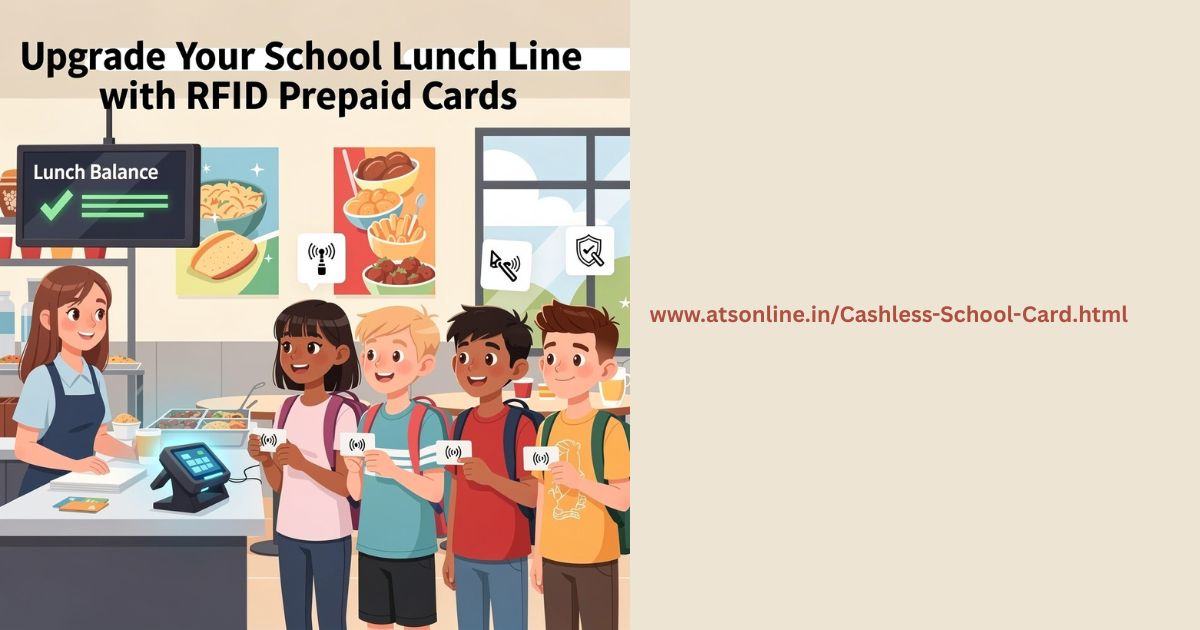
In the demanding environment of school administration, efficiency and reliability in the cafeteria are non-negotiable. The school lunch period is a high-volume, high-pressure event where speed is paramount. While the market is saturated with solutions pushing cloud subscriptions, mobile apps, and complex network dependencies, a tried-and-true approach remains the most robust: a dedicated, Offline Windows RFID Card computer-based Point-of-Sale (POS) system utilizing RFID prepaid cards
This comprehensive guide delves into why administrators seeking stability, security, and unparalleled speed should prioritize this locally installed, non-cloud architecture, ensuring the lunch line keeps moving smoothly—rain or shine, and internet or no internet.
🚀 The Imperative for Speed: Why Offline RFID Wins the Rush
The difference between a seamless and a chaotic lunch period often boils down to a few seconds per transaction. Traditional cash handling is inherently slow, requiring counting, change-making, and often manual reconciliation.1 Conversely, mobile apps and QR code scanning introduce variables like screen brightness, scanning angles, and student device access, which can lead to frustrating delays.
The RFID prepaid card system is designed for near-instantaneous, tap-and-go speed.2
The RFID Advantage: Simplicity Meets Velocity
- Instantaneous Identification: Unlike visual scanning, RFID (Radio-Frequency Identification) uses radio waves to read the card’s embedded chip simply by proximity to the reader.3 The transaction is complete in under one second.
- Unwavering Stability: Since the core transaction logic and student data are stored on the local Windows machine, processing is independent of external network speeds. Your system will never slow down due to a Wi-Fi bottleneck or a server outage hundreds of miles away.
- Durability and Ease of Use: The sturdy, credit card-sized RFID card is easy for students of all ages—from kindergarten to high school—to manage. It eliminates the need for personal devices or memorizing PINs.
💻 Focusing on the Offline Windows System Architecture
The strength of this solution lies in its architectural resilience, built around maximum local control and performance.
1. Dedicated Windows POS Software and Local Database
The core of the system is the robust software, installed directly onto a dedicated Windows-based computer (or terminal).4
- Local Data Security: All essential operational data—student profiles, account balances, menu items, pricing rules, and daily transaction logs—resides securely on the computer’s local hard drive. This architecture eliminates the common security risks associated with storing sensitive, real-time data on remote cloud servers.
- Mission-Critical Reliability: The system is engineered to run flawlessly even during a complete network or internet outage. Transactions are processed and recorded instantly against the local database. Any necessary data synchronization, such as uploading end-of-day sales reports or parent pre-payment updates, is handled during off-peak hours when the lines are clear.
- Ergonomic Design: The software is optimized for the hectic cafeteria environment, featuring large, clearly labeled buttons, intuitive touch-screen functionality, and customizable layouts to speed up the selection of meals and à la carte items.
2. Essential, Dependable Hardware
The hardware is streamlined for performance and direct local connection:
- Windows PC/Terminal: The stable operating platform for the dedicated POS application.
- Dedicated RFID Reader: A simple peripheral, typically connected via USB, designed to quickly and reliably read the unique identifier (5$UID$) from the student card.6
- Receipt Printer: For efficient documentation of transactions when required.
- Cash Drawer (Optional): Secured and integrated for managing ancillary cash sales (e.g., staff lunches or visitor payments).
🌟 Administrative Advantages: Beyond the Lunch Line
The benefits of the offline RFID system extend far beyond transaction speed, offering significant advantages to school administrators and accounting staff.
1. Financial Clarity and Auditability
Since every transaction is instantly recorded in the local database, the system provides unprecedented financial clarity.
- Automated Audit Trails: The Windows POS software generates detailed, uneditable audit logs for every meal, balance change, and transaction time. This simplifies the tedious, error-prone process of manual accounting.
- Instant Reporting: Administrators can generate accurate reports on sales volumes, remaining account balances, revenue by meal type, and subsidy usage instantaneously, aiding in inventory management and simplifying month-end reconciliation.
2. Ensuring Stigma-Free and Equitable Meals
One of the most powerful features of a card-based system is its role in fostering an inclusive environment.
- Discreet Processing: The card-tap process is identical for every student. The system automatically cross-references the student’s $UID$ with their profile in the local database and applies the correct meal status—full price, reduced price, or free—with absolute discretion. There is no visible difference in the transaction for the student or peers, successfully removing the potential stigma associated with subsidized meal programs.
3. Simplified Pre-Payment and Account Management
Managing prepaid accounts becomes dramatically easier:
- Centralized Fund Loading: Payments (cash or check) are accepted at a central office station running the administrative POS software. Funds are instantly credited to the student’s secure local profile.
- Low Balance Alerts: The system can be configured to trigger automated alerts to the cashier or administrator when a student’s balance falls below a set threshold, allowing for proactive communication with parents.
💡 Implementing and Future-Proofing Your Solution
When selecting an RFID prepaid POS provider, administrators must maintain their focus on local stability:
- Demand True Offline Capability: Verify that the system can process transactions and debit balances perfectly without any active network connection.
- Prioritize Local Installation: Insist on a solution that installs a permanent, dedicated application on your Windows machine, not just a browser-based tool that requires constant server access.
- Check Integration Support: Ensure the software offers simple import/export tools to manage student rosters from existing school management systems (e.g., CSV file imports).
By choosing a dedicated, offline Windows-based RFID prepaid card POS system, your school is investing in unmatched transactional speed, financial security, and operational stability—the essential ingredients for a successful, stress-free lunch service every day.
You can reach us by phone at +91 9810078010 or by email at ats.fnb@gmail.com. Thank you for your interest in our services.

It’s smart to focus on offline reliability, especially given how busy school lunch periods are – I actually found a related discussion about system resilience on https://tinyfun.io/game/ben-10-overflow-fight. Wondering how easily these systems integrate with existing student databases?